

Microsoft AutoGen · Semantic Kernel · Copilot Studio
Microsoft Agent
Framework
A complete guide to building multi-agent AI systems with Microsoft’s ecosystem — orchestration, tools, memory, and real-world examples.
01 — Overview
What is the Microsoft Agent Framework?
Multi-Agent Orchestration
Microsoft’s agent ecosystem lets you build systems where multiple AI agents collaborate, delegate, and coordinate tasks. Built on Azure OpenAI, it integrates with Microsoft 365, Teams, and enterprise data.
Key Pillars
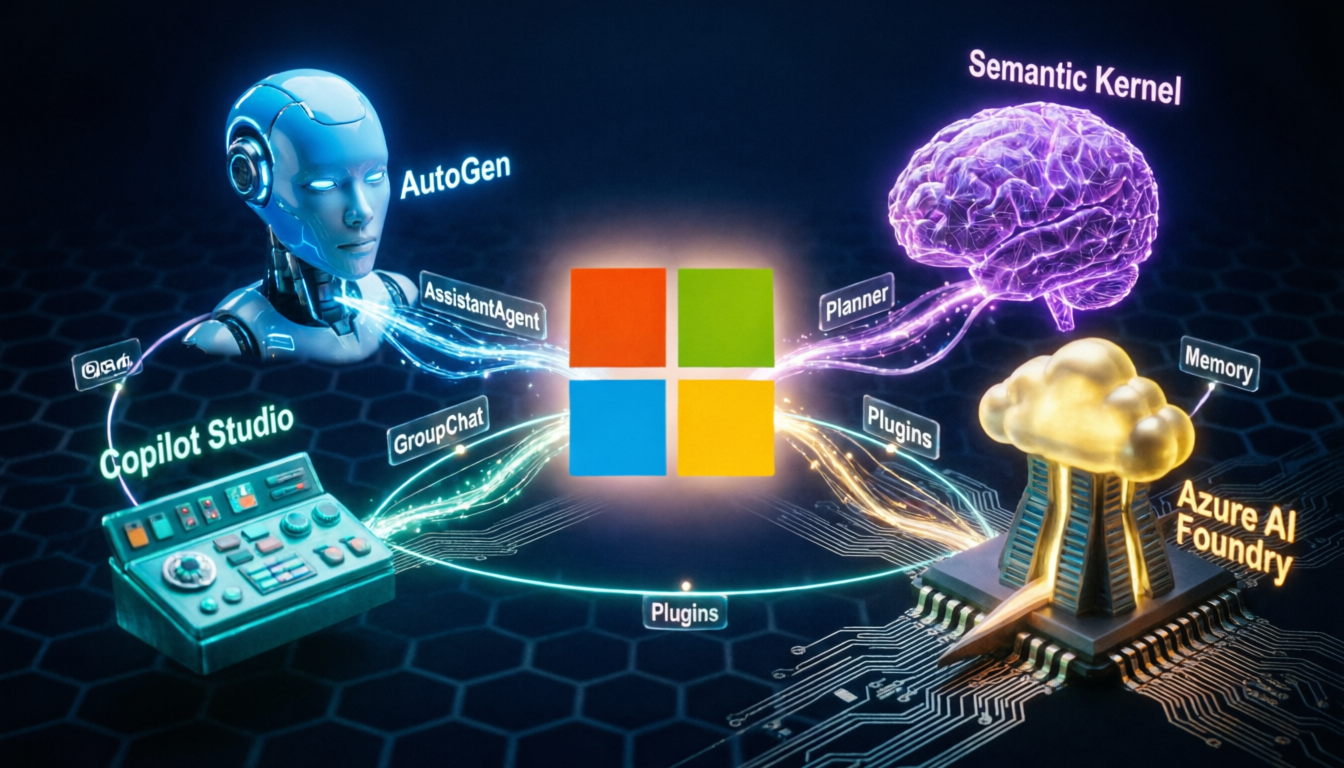
AutoGen handles multi-agent conversations. Semantic Kernel is the AI SDK for orchestration. Copilot Studio enables low-code agent building on the Microsoft platform.
Why Microsoft’s Approach?
Deeply integrated with Azure, enterprise security, Active Directory, and Microsoft Graph. Agents can natively access Outlook, Teams, SharePoint, and Power Platform connectors out of the box.
Open & Extensible
AutoGen is open source on GitHub. Semantic Kernel supports Python, C#, and Java. Agents can call external APIs, use plugins, and connect to any vector database via Azure AI Search.
02 — Architecture
Core Components
AutoGen Agents
Conversational agents that can exchange messages, call tools, and form multi-agent groups to solve complex tasks autonomously.
open-sourceSemantic Kernel
An AI SDK that connects LLMs to plugins, memory, and planners. Serves as the cognitive layer for agent reasoning and tool calling.
SDKCopilot Studio
Low-code/no-code platform to build, test, and deploy AI agents across Microsoft 365, Teams, and custom web channels.
low-codePlugins & Tools
Agents invoke native functions, OpenAPI connectors, or Power Platform actions. Every capability is exposed as a typed plugin.
extensibleAgent Memory
Azure AI Search for semantic recall, volatile in-context memory, and Redis/Cosmos DB for persistent episodic memory stores.
multi-storeAzure AI Foundry
The deployment platform: model catalog, evaluation, tracing, safety filters, and agent monitoring in one unified portal.
cloud03 — Execution Flow
How Microsoft Agents Execute a Task
04 — Real-World Examples
Microsoft Agents in Action
Email Triage Agent
Outlook + AutoGen + Graph APIAutomatically reads, classifies, and drafts replies to incoming emails using Microsoft Graph and AutoGen’s AssistantAgent.
Data Analysis Agent
AutoGen GroupChat + Code ExecutionA group of specialized agents collaborates: one writes Python, another reviews it, a third executes and interprets the results.
IT Help Desk Agent
Copilot Studio + ServiceNow PluginBuilt in Copilot Studio, this agent handles IT tickets, resets passwords, and escalates to humans when needed — all in Teams.
Research Summarizer
Semantic Kernel + Bing Search PluginUses Semantic Kernel’s planner with Bing Search and Azure AI Search to fetch, read, and summarize research papers on demand.
05 — Agent Roles
Types of Agents in AutoGen
AssistantAgent
Powered by an LLM, generates responses, writes code, and calls tools. The core reasoning agent in AutoGen.
LLM-backedUserProxyAgent
Acts on behalf of the user. Executes code, provides human feedback, or proxies automated approval decisions.
executorGroupChatManager
Manages turn-taking among multiple agents in a group chat. Selects the next speaker based on context.
orchestratorRetrievalAgent
Specialized for RAG workflows — embeds queries, searches vector stores, and injects context into conversations.
RAGSafetyAgent
Monitors and filters agent outputs using Azure Content Safety. Blocks harmful or policy-violating responses.
guardrailsPlannerAgent
Decomposes high-level goals into ordered sub-tasks using Semantic Kernel’s sequential or stepwise planners.
planning06 — Code
AutoGen: Two-Agent Example
import autogen

# 1. Configure the LLM (Azure OpenAI)
config_list = [{
    "model": "gpt-4o",
    "api_type": "azure",
    "base_url": "https://your-resource.openai.azure.com/",
    "api_key": "<YOUR_KEY>",
}]

llm_config = {"config_list": config_list, "temperature": 0.1}

# 2. Create the Assistant Agent (LLM-powered)
assistant = autogen.AssistantAgent(
    name="DataAnalyst",
    llm_config=llm_config,
    system_message="You are an expert data analyst. Write Python code to answer questions."
)

# 3. Create the UserProxy Agent (executes code, approves)
user_proxy = autogen.UserProxyAgent(
    name="User",
    human_input_mode="NEVER",    # fully automated
    max_consecutive_auto_reply=5,
    code_execution_config={
        "work_dir": "workspace",
        "use_docker": False
    }
)

# 4. Start the conversation — agents collaborate until done
user_proxy.initiate_chat(
    assistant,
    message="Load sales.csv, compute monthly totals, and plot a bar chart."
)
07 — Comparison
Framework Comparison
| Framework | Best For | Language | MS Integration | Code Level |
|---|---|---|---|---|
| AutoGen | Multi-agent conversations, code generation, research tasks | Python | Native Azure | Pro-code |
| Semantic Kernel | Orchestration, plugins, planners, enterprise apps | Python · C# · Java | Deep | Pro-code |
| Copilot Studio | Teams bots, M365 automation, low-code agents | No-code / YAML | M365 Native | Low-code |
| Azure AI Foundry | Deployment, evaluation, model management | Portal + SDK | Full | Platform |
| LangChain (3rd party) | General agent building, broad ecosystem | Python · JS | Partial | Pro-code |