
Bestseller #1
Bestseller #2
Bestseller #3
Bestseller #4
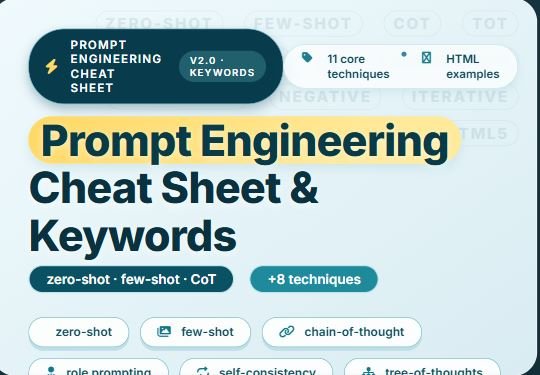
prompt engineering ⌨️
cheat sheet · v1.0
11 core patterns
each card = technique + real example
The essential toolkit: from zero-shot to chain-of-thought. Every pattern includes a ready‑to‑use HTML‑friendly prompt example — adapt and fire.
Zero-shot direct
🤖 Ask without examples – model uses its internal knowledge.
HTML example
Prompt: “Generate a semantic HTML5 structure for a personal blog post about prompt engineering. Include <header>, <article>, and <footer> with appropriate tags.”
use when task is common & well-defined
Few-shot in-context
📋 Provide 2–3 examples to set the format/style.
HTML example
Prompt: “Convert ingredients to html list:
🍅 Tomato, 🧀 Mozzarella → <ul><li>Tomato</li><li>Mozzarella</li></ul>
🥚 Eggs, 🥛 Milk → <ul><li>Eggs</li><li>Milk</li></ul>
Now do: 📘 Book, ✏️ Pencil”
🍅 Tomato, 🧀 Mozzarella → <ul><li>Tomato</li><li>Mozzarella</li></ul>
🥚 Eggs, 🥛 Milk → <ul><li>Eggs</li><li>Milk</li></ul>
Now do: 📘 Book, ✏️ Pencil”
Chain-of-thought CoT
🧠 Encourage reasoning step by step – perfect for logic.
HTML reasoning
Prompt: “I need an accessible collapsible card. Think step by step: first the container, then button role, then content with aria-expanded. Write the HTML accordingly.”
“Let’s think step by step” activates CoT
Role-prompting persona
🎭 Assign a persona to steer tone and expertise.
HTML persona
Prompt: “You are a senior front-end architect specialized in web accessibility. Write a minimal HTML structure for a skip navigation link.”
Self-consistency
🔄 Sample multiple reasoning paths, pick most common.
variation example
Prompt: “Give me 3 different ways to write a responsive image <picture> element for modern HTML. Then pick the most robust one.”
Tree of thoughts
🌲 Explore multiple branches – explore HTML options.
branching
Prompt: “Explore three different ways to embed a SVG in HTML: inline, <img> tag, <object>. Evaluate pros/cons, then recommend.”
Generate knowledge
📘 First generate facts, then answer/prompt.
HTML knowledge
Prompt: “List key semantic tags in HTML5. Then based on them, build a webpage outline for a ‘prompt library’.”
ReAct reason+act
⚡ Interleaving reasoning and actions (simulate).
HTML + action
Prompt: “I need a form with validation. Reason: HTML5 has required and pattern. Act: write the <input> with pattern for alphanumeric. Then reflect.”
Iterative refinement
🛠️ Start rough, then ask for specific improvements.
refine html
Prompt: “Make this card more accessible: <div class=’card’>…</div>. Add proper landmarks, ARIA, and semantic tags.”
Structured output
📐 Enforce specific format – JSON, HTML, XML, etc.
strict HTML
Prompt: “Return only raw HTML code (no backticks, no explanation): a responsive flexbox row with three equal columns, each containing a placeholder image and a caption.”
Negative prompting
🚫 Explicitly say what to avoid in generation.
avoidance
Prompt: “Write a <button> snippet without inline styles, without JavaScript, and without deprecated attributes like bgcolor.”
“do not use …” reduces hallucinations
quick reference table
best for HTML generation
🧪 Zero-shot – quick prototypes, semantic skeletons
📚 Few-shot – force list style, exact markup patterns
🧮 CoT – complex UI components (tabs, modals)
🎭 Role – accessibility specialist / performance expert
📏 Structured – raw HTML only, perfect for copy-paste
Combine techniques: few-shot + role + CoT for ultra precise HTML generation.
Bestseller #1
Bestseller #2

Bestseller #3

Bestseller #4